
How To Set Up TikTok Shop: The Complete Step-by-Step Guide for 2026
14 May 2026 • 19 min read • By Sure Jobs
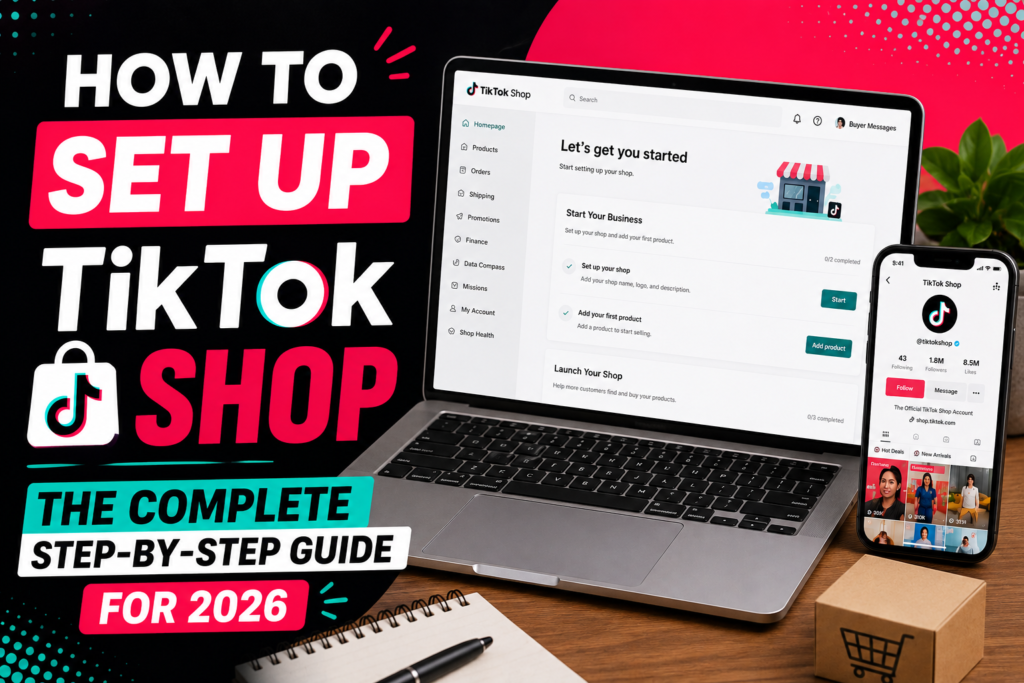
How To Set Up TikTok Shop: The Complete Step-by-Step Guide for 2026
If you have been watching TikTok transform from a dance video platform into one of the most powerful e-commerce engines in the world, you already know that the window to get in early is closing fast. TikTok Shop is no longer a beta experiment. It is a fully operational shopping ecosystem where brands, creators, and everyday entrepreneurs are generating life-changing revenue, and it is available to you right now.
This guide walks you through everything you need to know to set up your TikTok Shop from scratch, avoid the mistakes that slow most sellers down, and position your store for the kind of visibility that turns into consistent sales.
What Is TikTok Shop and Why Does It Matter
TikTok Shop is TikTok’s native e-commerce feature that allows sellers to list products directly on the platform and lets users purchase without ever leaving the app. The buying experience happens inside TikTok itself, which means the journey from discovery to checkout is shorter than almost any other platform in existence.
What makes this significant is the psychology behind it. On traditional e-commerce platforms, a customer has to feel enough motivation to click a link, wait for a new page to load, browse a store they have never seen, and trust a brand enough to hand over payment details. TikTok Shop removes most of that friction. A viewer watches a video, taps a product tag, and buys in under a minute.
The platform currently has over one billion active users globally, and a growing percentage of them are in active buying mode. TikTok’s algorithm is designed to surface content to people who are already interested in similar products, which means your reach is not limited to your existing followers. A brand new account with zero followers can go viral and generate thousands in sales on the same day.
For sellers who understand how to work within the platform’s structure, TikTok Shop offers something rare: organic reach at scale, combined with native purchasing capability.
Who Can Sell on TikTok Shop
Before you start building your store, it helps to understand who qualifies to sell on TikTok Shop, because the requirements vary by region.
In the United States, sellers need to be at least 18 years old and provide a valid U.S. address, a government-issued ID or business registration documents, and a U.S. bank account. Individual sellers can register as sole proprietors, while businesses register using their official company documentation.
In the United Kingdom, sellers need to be 18 or older, hold a valid UK address, and provide either personal identification or a Certificate of Incorporation if registering as a company. A UK bank account is required for payouts.
In Southeast Asia, including markets like Indonesia, Malaysia, Thailand, Vietnam, and the Philippines, TikTok Shop has been operating longer and the requirements follow similar patterns: proof of identity, a local business or personal address, and a local bank account.
If you are in a region where TikTok Shop has not officially launched, you may still be able to register as a cross-border seller from an eligible country, though this comes with additional considerations around shipping and customer service expectations.
TikTok Shop requirements broken down by region:
General (All Regions) You must be at least 18 years old, have a valid local bank account for payouts, and provide either personal ID or business registration documents.
United States A valid U.S. address, a government-issued ID such as a passport or driver’s license, and a U.S. bank account. Businesses need official company registration documents.
United Kingdom A valid UK address, personal identification or a Certificate of Incorporation for companies, and a UK bank account.
Southeast Asia (Indonesia, Malaysia, Thailand, Vietnam, Philippines) Proof of identity, a local residential or business address, and a local bank account. The region has the most mature TikTok Shop ecosystem so approvals tend to move faster.
For Business Accounts Specifically You will need a Certificate of Incorporation or Business Registration Certificate, proof of registered business address, and details of the person authorized to represent the company. Some regions also ask for a recent utility bill or bank statement to verify the address.
Account Side Your TikTok account needs to be switched to a Business Account before you can connect it to TikTok Shop, and it must be linked to your Seller Center profile.
If you are in a region where TikTok Shop has not launched yet, cross-border selling from an eligible country is an option, though it comes with extra considerations around shipping and customer service.
Step One: Create or Prepare Your TikTok Account
Your TikTok Shop is tied to a TikTok account, so the first thing you need is either an existing account you want to convert into a business presence or a new one created specifically for your brand.
If you are starting fresh, download the TikTok app or go to tiktok.com and create an account using your email address, phone number, or a linked social account. Choose a username that reflects your brand clearly. Keep it simple, memorable, and consistent with whatever name you use on other platforms, because your TikTok profile will become part of your storefront identity.
Once your account exists, go to your profile settings and switch to a Business Account. To do this, tap the menu in the top right corner, go to Settings and Privacy, then Manage Account, and select Switch to Business Account. You will be prompted to choose a category that best describes what you sell. This step matters because it unlocks analytics, advertising tools, and eventually the ability to connect to TikTok Shop.
A business account also removes the restriction on using commercial music, replaces it with a library of royalty-free audio, and gives you access to performance data that helps you understand what content is resonating with your audience before you ever run a paid ad.
Step Two: Register on TikTok Shop Seller Center
The Seller Center is where the actual setup happens. It is a separate portal from the TikTok app, and you can access it at seller.tiktok.com or the regional equivalent for your country.
When you land on the Seller Center homepage, click the Sign Up button and choose whether you are registering as an individual or a corporate entity. The distinction matters because each path requires different documentation.
If you are registering as an individual, you will need to upload a clear photo of your government-issued ID, which in most countries means a national identity card, driver’s license, or passport. The name on the ID must match the name associated with your TikTok account or the account you are linking the shop to.
If you are registering as a business, you will need your Certificate of Incorporation or Business Registration Certificate, proof of your registered business address, and details about the person authorized to represent the company. In some regions, TikTok also asks for a recent utility bill or bank statement to verify the business address.
After submitting your documents, TikTok’s verification team reviews your application. This process typically takes between one and three business days, though it can take longer during peak periods or if there are any discrepancies in the documents you submitted. You will receive an email notification once your account is approved.
While you are waiting, take the time to explore the Seller Center dashboard. Familiarize yourself with where the product management tools are, where orders will appear, and where the analytics live. Getting comfortable with the interface before sales start coming in will save you a lot of confusion later.
Step Three: Set Up Your Shop Profile
Once your seller account is approved, the next step is building out your shop profile. Think of this as the storefront that customers see when they tap on your shop link or visit your profile page.
Start with your shop name. This is distinct from your TikTok username, though aligning them makes for a more cohesive brand experience. Choose a name that communicates what you sell clearly enough that a stranger would understand your niche at a glance.
Your shop logo should be a high-resolution image that looks clean even at small sizes, since it will appear as a small icon in various places across the platform. If you already have a logo, use it. If not, a well-designed text-based logo works just as well for most product categories.
Write a shop description that explains who you are and what you offer in plain, direct language. Avoid generic filler phrases. Instead of saying you offer high-quality products at competitive prices, tell the customer exactly what category of products you sell, what makes your selection worth their time, and what kind of experience they can expect when ordering from you. Two or three clear sentences are more effective than a paragraph of vague promises.
Connect your TikTok account to your Seller Center profile if it is not already linked. This connection is what allows products to be tagged in your videos and live streams and allows the shop tab to appear on your profile.
Step Four: Add Your Products
This is where your shop comes to life. In the Seller Center, navigate to the Products section and click Add Product. You will work through a series of fields for each item you want to list.
Start with the product title. Write a title that includes the key search terms a buyer would use to find the product while still reading naturally. TikTok’s search function is growing, and a well-written title improves your discoverability both within the platform and on external search engines.
The product description is one of the most underused opportunities in e-commerce. Most sellers write three lines and move on. High-performing listings use the description to tell the buyer everything they need to feel confident about the purchase. Cover the dimensions, materials, or ingredients depending on what you are selling. Explain who the product is best suited for. Address the questions you know buyers have before they ask them. The more thoroughly you answer these questions in the listing itself, the fewer abandoned carts you will have.
Product images are critical. TikTok is a visual platform and its users have high standards for visual quality. Upload multiple photos including a clean hero image on a white or neutral background, lifestyle images showing the product in use, and any detail shots that highlight craftsmanship, texture, or key features. Each image should be at least 800 by 800 pixels, and higher resolution is always better.
If you have product variations such as different colors, sizes, or materials, set these up using the variation feature in the product listing tool. Each variation can have its own price, stock quantity, and SKU number, which keeps your inventory management clean.
Set your price carefully. Look at what similar products are selling for on TikTok Shop and on other platforms. Your price needs to make sense in context of the market while still leaving you a healthy enough margin to cover TikTok’s commission fees, shipping costs, and any promotional discounts you might run later.
Enter your inventory quantity accurately. TikTok’s system tracks stock levels and will automatically mark items as out of stock when inventory runs down. Running out of stock on a product that is actively selling is one of the most painful experiences in e-commerce, so build in a buffer and set up restock reminders.
Step Five: Configure Shipping Settings
In the Shipping section of the Seller Center, you will set up how orders get fulfilled. TikTok Shop gives sellers two primary options: handling shipping independently or using TikTok’s shipping integration with partner carriers.
If you are handling shipping yourself, you need to define your shipping templates. A shipping template specifies which regions you ship to, the estimated delivery timeframes, and the shipping fees you charge. You can offer free shipping, flat-rate shipping, or weight-based shipping depending on what works for your product type and margin structure.
Free shipping consistently outperforms paid shipping in conversion rates on social commerce platforms. If your margins allow for it, rolling the shipping cost into your product price and offering free shipping on all orders will improve your results.
If you are using a third-party logistics provider or a fulfillment warehouse, this is the stage where you integrate that information into your shipping workflow. TikTok Shop supports several logistics partners depending on your region, and setting up these integrations correctly from the start prevents order delays and customer service issues down the line.
For sellers using Fulfilled by TikTok, which is available in select markets, TikTok handles warehousing, packing, and shipping on your behalf in exchange for a fee. This reduces operational complexity significantly and can improve delivery speeds, which directly impacts your seller rating.
Set your processing time, meaning how many days it takes you to pack and hand off an order after it is placed. Be honest about this number. Overpromising on processing speed and then missing it damages your seller metrics and can result in negative reviews.
Step Six: Set Up Your Payment Account
You need to connect a bank account to receive payouts from TikTok Shop. Navigate to the Payments section of the Seller Center and enter your banking details. TikTok requires the account to be in your name or your business name and to be a local account in the currency of the market you are selling in.
Payouts are processed on a regular schedule, typically every few days to once a week depending on your region, and they are deposited directly into the linked bank account after TikTok deducts its commission and any applicable fees.
TikTok’s commission rate varies by product category and region but generally falls in the range of one to eight percent of the order value. Review the current fee structure in your Seller Center account because rates do get updated periodically and it is important to factor them into your pricing strategy.
Step Seven: Link Your Shop to Your TikTok Content
This is where TikTok Shop becomes genuinely powerful. Once your products are live, you can tag them directly in your videos, your live streams, and your profile showcase tab.
To tag a product in a video, upload your video as usual and during the posting process, tap Add Link, then select Product. Search for the product from your shop and add it to the video. Viewers will see a small shopping bag icon on the video, and tapping it brings up the product listing without leaving the app.
For live shopping, go live from your TikTok account and use the product showcase feature to pin specific items during your broadcast. Live shopping is one of the highest-converting formats on TikTok because of the real-time urgency it creates. Sellers regularly report conversion rates during live streams that are multiple times higher than their standard video performance.
Your profile shop tab appears automatically once your TikTok account is connected to an approved TikTok Shop, and it shows visitors a curated view of your product catalog. Pin your bestsellers or newest arrivals at the top to make the best use of this real estate.
Step Eight: Understand the Affiliate Program
TikTok Shop includes a built-in affiliate program that allows creators who are not affiliated with your brand to promote your products in exchange for a commission. This is one of the most underutilized growth tools available to TikTok Shop sellers.
As a seller, you set the commission rate you are willing to pay affiliates, and creators browse the Open Plan marketplace to find products they want to promote. When they tag your product in their content and a viewer buys through their link, you pay the agreed commission and TikTok handles the tracking automatically.
To activate this, go to the Affiliate Program section of your Seller Center, set up your commission rates, and ensure your products are listed in the Open Plan. A competitive commission rate, typically between ten and twenty percent, attracts more creators and generates more content about your products without requiring you to create all of it yourself.
You can also reach out directly to specific creators through the Targeted Plan, inviting them to promote your products at a negotiated rate. This works particularly well when you find creators whose audience closely matches your target customer.
Step Nine: Build a Content Strategy Around Your Products
Getting your shop set up is only the beginning. The stores that thrive on TikTok are the ones where the seller understands that the product listings and the content are not separate things. They are two halves of the same strategy.
Content that performs well on TikTok tends to be native-feeling, meaning it does not look like a traditional advertisement. Show the product being used in a real context. Tell a story about why it exists or why you started selling it. React honestly to feedback or questions from your audience. Share the process of packing orders, receiving new inventory, or developing a new product. These types of videos build trust and familiarity, and trust is what converts a casual viewer into a paying customer.
Post consistently. The algorithm rewards accounts that publish frequently, and the more content you create, the more data you accumulate about what your specific audience responds to. Start with a minimum of one video per day during your first thirty days and use the analytics in your business account to identify which formats and topics are generating the most profile visits and product page clicks.
Engage with your comments. When people ask questions about your products in the comment section, answer them publicly. Those answers become part of the video’s content and help other viewers who had the same question but did not ask it.
Common Mistakes to Avoid When Setting Up TikTok Shop
Many sellers make the same errors early on that cost them time, money, and momentum. Knowing what these are before you encounter them saves you from learning the hard way.
Submitting blurry or incomplete verification documents is one of the most common reasons applications get delayed. Make sure every document you upload is photographed in good lighting with all four corners visible and all text legible.
Uploading low-quality product images is a mistake that affects every sale you could ever make. People cannot touch or try your product before buying it. The images are the product experience. Invest time in getting them right.
Ignoring your seller metrics is another frequent misstep. TikTok tracks your order fulfillment rate, your response time to customer messages, your return and refund rate, and your average shipping speed. These metrics affect how prominently your products are featured in search results and recommendations. Keep them healthy from the start by under-promising and over-delivering.
Pricing without accounting for fees is a trap that squeezes margins down to nothing. Factor in TikTok’s commission, your shipping cost, any affiliate commissions you are paying, and the cost of returns before you set a final price.
Creating content that feels like an advertisement almost always underperforms content that feels like authentic sharing. TikTok users are remarkably good at detecting when they are being sold to, and they scroll past it. Sell through storytelling, demonstration, and genuine enthusiasm rather than through polished sales copy.
How to Rank Higher in TikTok Shop Search
Getting your products discovered within TikTok Shop’s search function requires some of the same thinking as traditional SEO but applied to the specific way TikTok’s platform works.
Your product title is the single most important ranking factor. Include the primary keyword a buyer would search for, followed by any descriptive details that differentiate your product. A title like “Vitamin C Brightening Serum for Dark Spots and Uneven Skin Tone” will outperform “Vitamin C Serum” every time because it matches the way real buyers search.
Product categories matter more than most sellers realize. When you set up your listing, TikTok asks you to assign it to a category. Choosing the most specific and accurate category improves your product’s relevance score within search results. Resist the temptation to categorize broadly in the hope of reaching more people. Accurate categorization puts you in front of people who are already looking for what you sell.
Sales velocity has a compounding effect on visibility. Products that are selling generate more visibility, which generates more sales. This means your first few sales are disproportionately important. Consider running a limited-time introductory price, activating the affiliate program immediately, or reaching out to micro-creators to generate early traction. Getting those first orders in as quickly as possible sets a positive feedback loop in motion. READ ALSO How to Pass a Canadian Visa Interview at the Embassy (Proven Tips That Work)
Reviews also influence search ranking. After orders are delivered, the platform prompts buyers to leave reviews, but you can improve your review rate by sending follow-up messages through the Seller Center that genuinely thank buyers and invite honest feedback.
Final Thoughts
TikTok Shop is one of the most accessible e-commerce opportunities available right now. The barriers to entry are low, the audience is enormous, and the platform’s algorithm genuinely favors new sellers who create engaging content, unlike some more established platforms where getting organic reach without paid advertising is nearly impossible.
Setting up your shop correctly from the beginning, filling out every section thoughtfully, writing product listings that answer real questions, configuring your shipping to be reliable and your pricing to be sustainable, and then building a content presence that earns trust, puts you ahead of the majority of sellers who rush through setup and wonder why results are slow.
Take the time to do it right. The sellers winning on TikTok Shop are not necessarily the ones with the biggest budgets or the most followers. They are the ones who understand their audience, create content worth watching, and make it genuinely easy for people to buy.
Your store is one approval away from being live. Get started today.
Leave a Reply